Monday, April 15, 2013

Android App 香港快拍的演變


香港快拍首個版本 v1.0 於 2011 年初放到 Play Store, 到第二個版本 v1.1 上載當日,即 2011 年 2 月 6 日使用者大概還只有 150 多人。當初因為功能有限,介面設計比較簡陋,可以看看剛發表時的介面截圖:


可以看到整個 app 就是以單頁基本,外加兩個可彈出的圖片及新聞頁。其後加入了 30 個自訂位置,以每版 6 個,共 5 版的左右滑動模式,方便用家以最快的方法看到經常使用的快拍位置。另外還有以地圖大頭針方式顯示各個快拍位置等功能。因為功能增加所以加入了一個主目錄,以下為這些新功能的載圖:


基本上整個香港快拍到這裡己經成形,因為大量功能更新所以香港快拍亦到進化為香港快拍+,這個 "+" 絕對是因為剛推出 Google+ 而改 :P。新版本上載時間為 2011 年 11 月,原版本的下載數目已經突破六萬。在這個版本更新後亦都有持續穩定增長,更於數次媒體介紹後得到大量下載標升。其後因應 ics 及 jellybean 推出,除了功能更新外,部份介面亦都更新為 Holo Theme,可以看看新舊對比:


除了手機版本更新外,平版熱賣都增加筆者支援平版的決心,於 2012 年 1 月 12 日(當時下載次數為八萬),當日上載的香港快拍+ v4.1.0 版本全面支援平版電腦:


到這個更新上載後一年多,其間再更新了道路狀況,及加入 14 個新快拍位置,下載量已經由八萬增加了接近一倍,當然 Android 的佔有率還幫上了一個大忙。

接著就到近一個月加入的 13 個新功能:自動搜尋附近路況、雲端備份、3D地圖、入油計算器、地圖上的行車時間顯示、過海行車時間表、用家預設快拍頁面等,現在就來看看最新面 v6.0.0 的最新截圖:


希望這個更新後會有再多一倍的增長 :P,如果各位用家有甚麼建議,不妨留言談談吧!

香港快拍+:

香港快拍 Pro Licence:

Thursday, February 21, 2013

OK Glass!

Google 由 Google I/O 發佈 Glass 到今日已經有一段好長時間,到今日終於再有新資訊發放。今日一段由 Glass 拍攝的視頻 “How if feels” 經由 G+ 發放,連同最新的產品照共十多張,可望梅止渴吧? 


How it feels?


如果身在美國的朋友可以到官網碰碰運氣,登記後有機會以 USD1,500 得到優先試用版。

http://www.google.com/glass

Monday, January 28, 2013

網頁設計要顧及低解像度

下圖定位 float window 式的設計十分普遍, 但 justcloud.com 的這個登記頁, 大家可以看到在 -OR- 下面的東面不夠位顯示, 筆者無論如何向下拉也見不到(因為是定位式). 筆者螢幕解像度為 1366x768px, 768px 這個高度的螢幕相信仍然十分多, 如果在登記頁就令人却步可不是好事. 

作為用家解決方法還是有的, 將顯示比例縮小就成!


Saturday, December 15, 2012

Android app locale settings suggestions

To all Android developers:

I am writing this message due to the fact that it is incorrect for a lot of Android app's locale settings to display Simplified Chinese instead of Traditional Chinese if the system setting is "Hong Kong". This makes a lot of noise in Hong Kong recently.

Except for China, all Chinese based region including Hong Kong, Taiwan and Macao are using Traditional Chinese but not Simplified Chinese. It is inconvenient for Traditional Chinese users to read Simplified Chinese. Hence, if your apps would like to provide both Traditional Chinese and Simplified Chinese, please use below settings:

res/value-zh <- Traditional Chinese
res/value-zh-rCN <- Simplified Chinese

Or if you would like to keep the standard TW locale:

res/value-zh <- Traditional Chinese
res/value-zh-rTW <- Traditional Chinese
res/value-zh-rCN <- Simplified Chinese

Or if you would like to specify for all region:

res/value-zh <- Traditional Chinese
res/value-zh-rHK <- Traditional Chinese
res/value-zh-rTW <-Traditional Chinese
res/value-zh-rCN <- Simplified Chinese

Never use Simplified Chinese string in value-zh as you can use value-zh-rCN to get the right result. If devices do not support rHK, all these devices could still get the correct locale if value-zh string is Traditional Chinese.

As English is also an official language in Hong Kong, if your apps support Simplified Chinese only, please put the English string to res/value-zh-rHK (At least the rHK supported device can get the right locale). Or you can send me an email with the Simplified Chinese string.xml attach, I'll try my best to help you to organize and translate the Simplified Chinese to Traditional one.


Best Regards,

Allen Chan
(An Android developer in Hong Kong)

email: allen517@gmail.com

Tuesday, November 27, 2012

一版過教你 Android 開發

http://www.vogella.com/articles/Android/article.html

當然, 係好長的一版

Tuesday, October 30, 2012

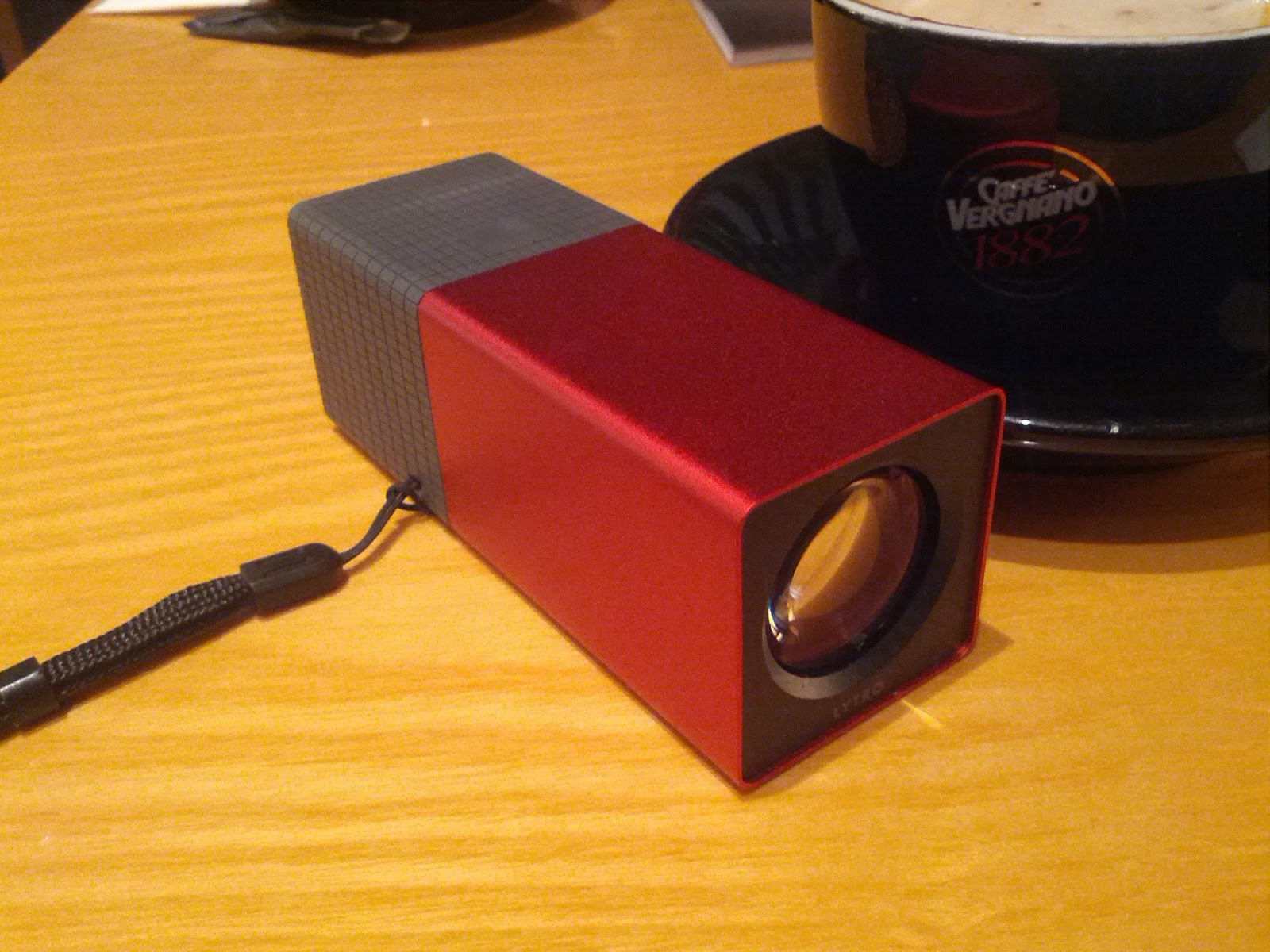
先拍照後對焦, 攝影新玩意 - Lytro 光場相機


Lytro 於早前發放光場相機 Demo 圖後吸引了不少攝影愛好者, 因為其先拍照後對焦功能十分新穎. 期待過一段日子後, Lytro 近日正式登陸香港, 身邊有唔少朋友已經即時入貨, 雖然價錢唔算平, 解像度又唔高, 但依然無礙其吸引力.

光場相機既技術係拍攝時一次過將畫面前後景同時記錄, 再經過特製 viewer 顯示圖片, 只要點擊圖上任何一點就可以改變對焦點. 其有趣效果要自己試過才感受得到:


有趣吧? 

相機設計簡潔, 輕觸式面版操作方便, 拍攝時間快亦不用擔心對焦問題. 但相機並非完美, 相機機身較重, LCD 顯示解像度亦較低, 但只屬少問題吧. 對我來說最困擾的是過相只可以使用 pc 或 mac 機, 如在街上沒有電腦跟身就完全沒法上載相片上網了.

Friday, September 28, 2012

香港快拍+ v5.1.0 更新


v5.1.0 (2012-09-28)

- 增加穩定性
- 轉用另一個天氣資訊供應商,因早前 google weather api 正式關閉引致本 app 經常 force close 之問題亦隨之解決。
- 新增以下位置:
粉嶺公路近港鐵粉嶺站
獅子山隧道公路近紅梅谷路
港深西部公路近廈村
元朗公路近丹桂村
大欖隧道元朗入口
大欖隧道汀九入口
南灣隧道昂船洲大橋入口
沙田嶺隧道沙田入口
象鼻山路近美環街
西區海底隧道香港入口
西區海底隧道九龍入口
大老山隧道九龍入口
東區海底隧道九龍入口
大老山隧道沙田入口


Download From Google Play